Best Chord Recognition App 2026: AI vs. Ear Training
You hear a song you love. You reach for your instrument. Then the usual problem shows up.
You know the rhythm. You can follow the vibe. But you don’t know the chords, and you don’t want to spend the next hour digging through tabs that may or may not be right.
That moment is why people search for a chord recognition app. They want speed. They want clarity. They want to hear music and play it back without getting stuck.
But there are really two different goals hiding inside that search. One goal is to get the answer fast. The other is to build the skill to find the answer yourself. One gives you a fish. The other teaches you how to fish.
If you care about ear training, play by ear ability, and long-term musical freedom, that difference matters more than any app feature list.
Table of Contents
- Why You Really Want a Chord Recognition App
- AI Chord Finders vs Ear Training Systems
- The Limits of AI Chord Detection Technology
- The Deeper Goal: Learning to Hear Music Yourself
- Your First Week of Ear Training in 10 Minutes a Day
- How to Choose the Right App for Your Goals
- Stop Guessing and Start Hearing Your Music
Why You Really Want a Chord Recognition App
Users don’t want a chord app because they love apps. They want it because they want a result.
They want to hear a song at a friend’s house and join in. They want to catch the harmony under a chorus. They want to stop freezing when someone says, “Can you play along?” The underlying desire isn’t software. It’s freedom.
A chord recognition app feels like the shortest path to that freedom. You press play, the app listens, and chord names appear. That can be useful, especially when you need a quick starting point for a song.
But there are two different promises hiding inside that moment:
- Quick answer: “Tell me what this chord is.”
- Real skill: “Teach me how to hear what this chord is.”
Those are not the same thing.
The result you actually care about
If your end goal is to strum through one song tonight, an answer engine may be enough.
If your end goal is to play by ear, improvise, sing in tune, recognize progressions, and stop depending on charts, then the better question is different. It isn’t “Which app gives me chord names fastest?” It’s “Which tool helps me hear music better over time?”
Practical rule: If a tool helps you finish a song, that’s useful. If it helps you hear the next song on your own, that’s growth.
That’s why musicians often start with detection tools and then realize they need something more. The app solved the immediate problem, but not the underlying one.
If you’re curious about tools that identify harmony quickly, you can look at Trill’s chord tools page. Just keep your real goal in view. The best outcome isn’t collecting chord labels. It’s building an ear that recognizes them without help.
Two paths, two kinds of musician
One path makes you dependent on outside answers.
The other path builds internal hearing.
Both can help you today. Only one keeps helping you when the phone is gone, the room is noisy, the chords are unexpected, or the song hasn’t been uploaded anywhere. That’s where ear training stops being an abstract idea and becomes a practical musical advantage.
AI Chord Finders vs Ear Training Systems
There are two broad categories people mix together when they talk about chord apps.
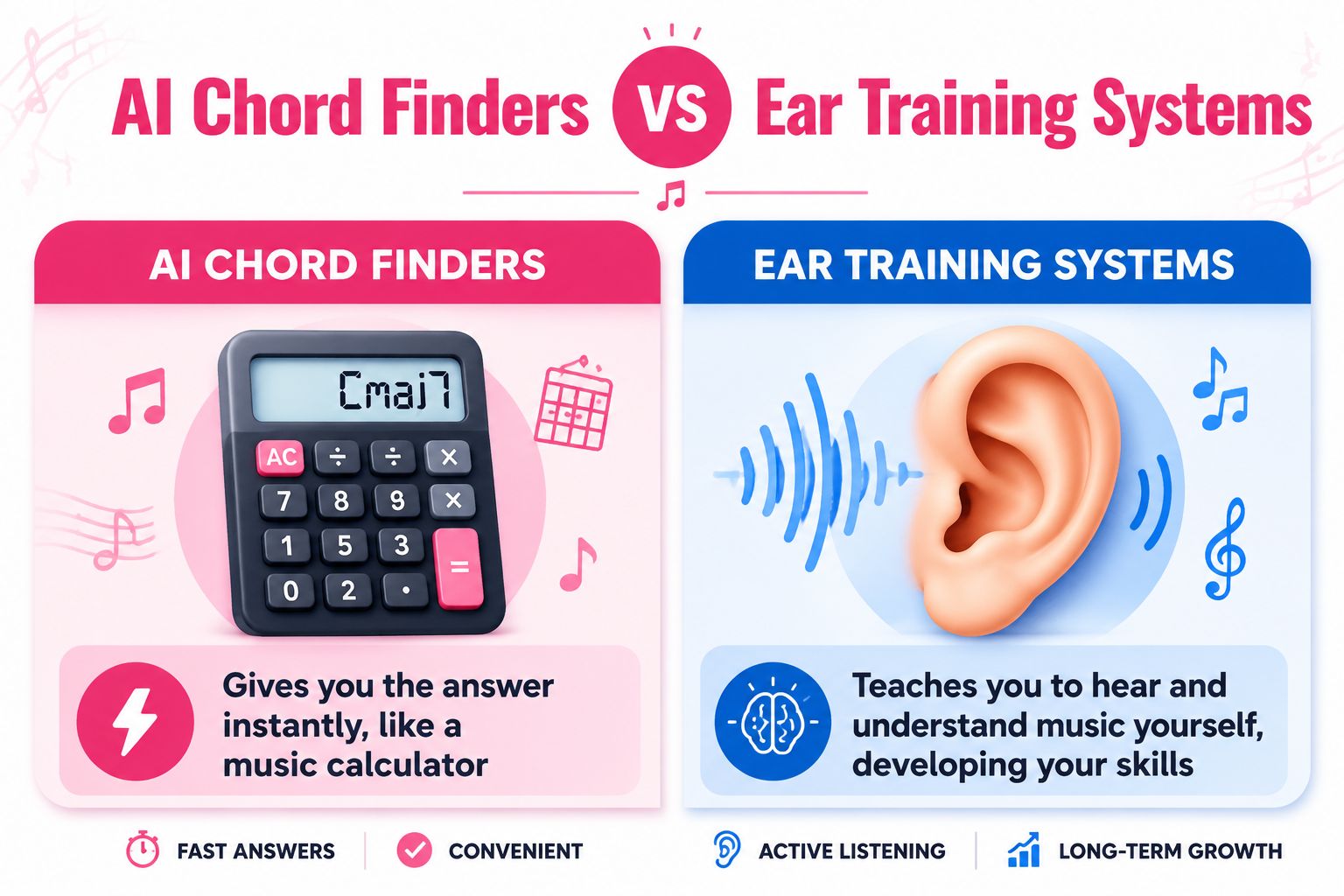
The first type is the AI chord finder. It listens to audio and tries to label the harmony for you. The second type is the ear training system. It gives you listening exercises so you can recognize intervals, chords, and progressions yourself.
One gives answers, one builds ability
The simplest analogy is math.
An AI chord finder is like a calculator. You type something in, and it gives you an answer. That’s helpful when you’re in a hurry, checking work, or getting unstuck.
An ear training system is like learning arithmetic. It’s slower at first, but the skill becomes yours. You start recognizing sounds without needing a device to translate them.
Here is the difference in plain terms:
| Tool type | What it does | What you get over time |
|---|---|---|
| AI chord finders | Labels chords from audio | Faster song lookup |
| Ear training systems | Trains you to hear chord quality and movement | Stronger musical instincts |
One popular app in the AI category, Chord ai, says it has more than 500,000 users on its site, which shows how many musicians want instant transcription help (Chord ai user figures).
That popularity makes sense. Convenience is attractive. You hear a song, and you want to know what’s happening now, not after weeks of study.
What each category is good for
AI tools help when you:
- Need a rough roadmap: You want a quick sketch of a song before rehearsal.
- Check a progression: You already have an idea and want to compare it with another read.
- Save time on simple material: Straightforward pop or folk songs can be easier to map quickly.
Ear training systems help when you want to:
- Recognize chords without looking: Useful in jams, lessons, rehearsals, and songwriting.
- Understand why harmony sounds the way it does: Not just “what chord,” but “what function.”
- Build durable skill: The kind that stays with you on any instrument.
A tool can lend you a result. Training lets you own it.
Some musicians use both. That’s fine. The problem starts when a player mistakes borrowed skill for learned skill.
The trade-off most people miss
If you always get the answer first, your ear doesn’t have to work very hard. It becomes passive. You see “G major” before you hear “G major.”
That habit matters. In music, recognition grows through repeated listening, comparison, singing, and correction. If an app interrupts that process too early, it can slow the development of your ear even while helping you finish songs.
If you want a deeper comparison between instant-answer tools and listening skill, this breakdown of Chordify vs perfect pitch training is a useful next read.
A good rule is simple. Use AI when you need support. Use ear training when you want independence.
The Limits of AI Chord Detection Technology
Behind every modern chord finder is a long-running audio analysis problem called automatic chord estimation. This isn’t a brand-new gimmick. It comes from a research area with shared datasets, evaluation methods, and long-running benchmarks.
A review of prior research notes that the standard MAPS piano dataset includes 18 songs and 60 real recordings used for benchmarking, and that chord estimation has long been evaluated through the MIREX framework, a major reference point since the mid-2000s (automatic chord estimation background).
That history matters because it explains why these apps can work at all. Chord detection is a real technical field, not just a flashy consumer feature.
Where the technology does well
AI chord detection tends to do better when the music is harmonically clear.
Think of a clean recording with obvious root movement, stable chords, and a mix that doesn’t bury the harmony. In that situation, the app has a cleaner signal to analyze.
It can be especially handy for:
- Simple pop progressions
- Acoustic demos with clear changes
- Basic practice tracks
- Quick first-pass transcription
For many musicians, that first pass is enough to get started.
Where musicians get confused
The trouble begins when the app’s label doesn’t match what your ears, your instrument, or the song context tell you.
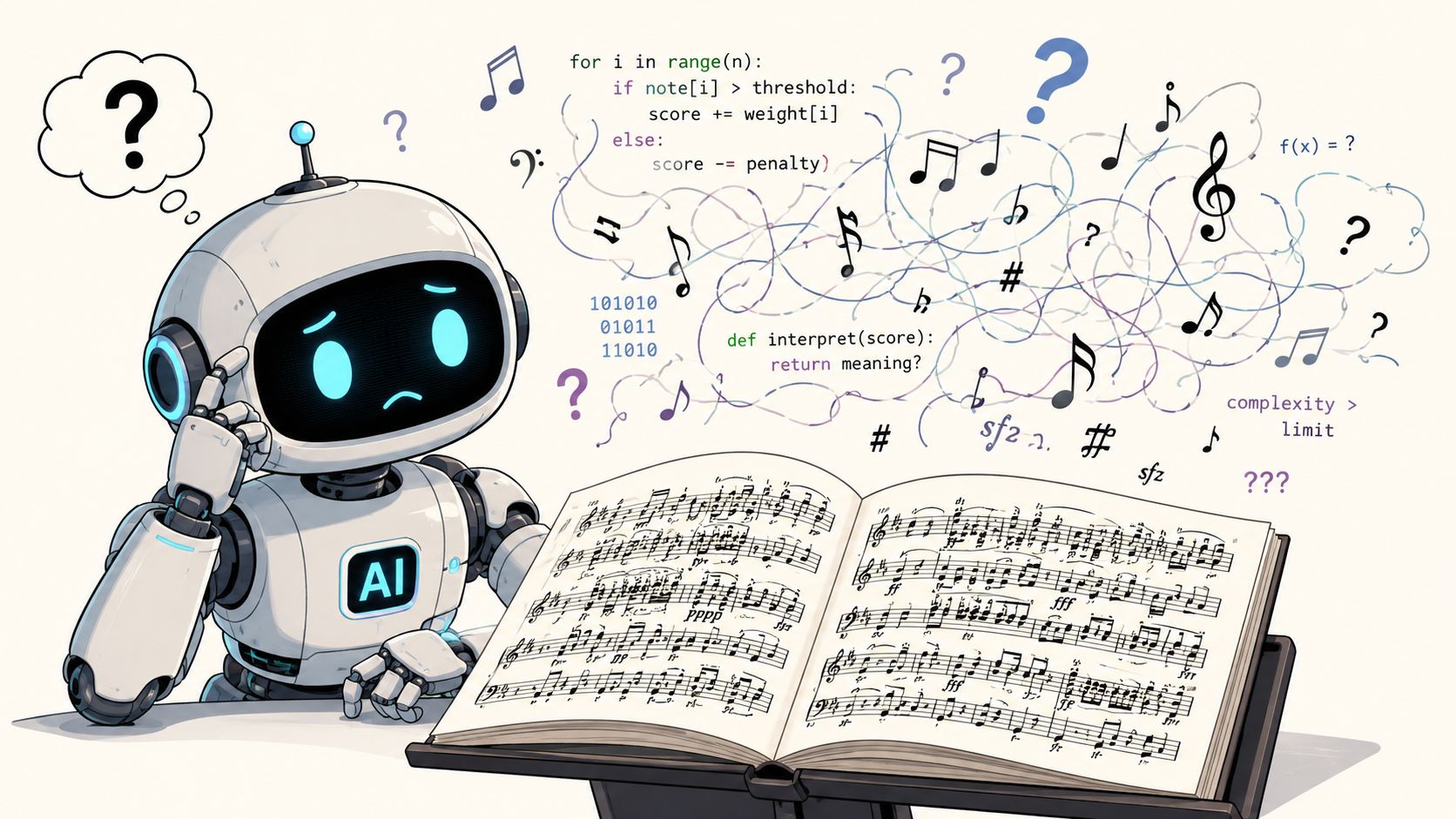
This happens because chords in real music aren’t always neat blocks. A single moment in a recording may include bass movement, melody tension, extensions, passing tones, distortion, room noise, and overlapping instruments.
Existing discussion around these tools often leaves a gap around how they handle complex harmony and inversions, especially in dense or noisy recordings (discussion of complex harmony limits).
Here are common failure points:
- Inversions and slash chords: The app may catch the chord family but miss the bass note that changes the feel.
- Dense jazz voicings: Added tones can blur the harmonic label.
- Distorted guitars: The overtone content can make harmony less clean to analyze.
- Live recordings: Crowd noise, room sound, and uneven balance create messy input.
- Fast changes: Short passing chords may get simplified or skipped.
If a chord label sounds wrong under your fingers, trust the sound first and the screen second.
Why your ear still matters most
Even a strong detection result is still a suggestion. It is not musical understanding.
A trained ear notices things an app may flatten out. You hear whether the chord pulls toward home, whether the bass changes the color, whether the melody clashes or resolves, whether the progression feels major, minor, borrowed, suspended, or tense.
That human judgment is why ear training remains essential. The app can propose. Your ear decides.
The Deeper Goal: Learning to Hear Music Yourself
You hear a song you love. Your hand goes to the instrument, you search for the chords, and within seconds the familiar question shows up. Which app can tell me what these chords are?
That question makes sense. But underneath it is a better one. How do I hear this well enough that I do not need to ask every time?
Many online resources focus on identifying chords from audio and present these apps mainly as transcription tools, which leaves a gap for musicians who want lasting skill transfer and want to play by ear without leaning on outside help (why transcription tools leave a skill gap).
An app gives you the fish. Ear training teaches you how to fish.
That difference matters because music happens in motion. In a rehearsal, a jam session, or a writing session, there is no pause button while you wait for a label. You need to hear the pull of the harmony, sense where the song is going, and connect that sound to your hands.
Ear training is learned, not gifted
A lot of players implicitly assume that good ears belong to other musicians. They hear someone pick out chords quickly and label it talent.
That belief can keep practice from ever starting.
Hearing chords is a trainable pattern skill. You already do this in daily life. You recognize a friend’s voice after one word. You know the difference between footsteps in a hallway and rain at the window. Music works the same way. With repetition, your ear starts to sort sounds into familiar categories such as major, minor, tense, resolved, stable, and unsettled.
You are not trying to become a machine that spits out chord names. You are training your ear to notice relationships.
What improves when your ear gets stronger
The first change is usually speed. You stop searching every possible chord and start looking in likely places.
Then confidence starts to grow. A progression feels familiar under your fingers. A chart looks wrong before you can explain why. A chorus lifts, and your hands are already moving toward the next shape because your ear heard the change coming.
That is practical musicianship, not theory trivia.
Here is what that often looks like in everyday playing:
- You hear function, not just labels. A chord sounds like home, away from home, or a push back toward resolution.
- You recover faster. If someone plays an unexpected chord, you can adjust by ear instead of freezing.
- You learn songs with less guesswork. The bass, melody, and chord color start forming a clearer picture.
- You improvise with more intention. Your note choices follow the harmony instead of floating on top of it.
The goal is musical response in real time. Chord names are part of that, but they are not the finish line.
Perfect pitch is not the target
Searches about chord recognition often drift toward perfect pitch, as if naming notes instantly were the main prize. For working musicians, relative hearing is usually far more useful.
Relative hearing works like understanding direction on a road trip. You do not need to know the exact street number at every second. You need to know whether you are heading home, turning away, climbing tension, or settling back down. In music, that means hearing relationships between notes and chords.
That skill shows up everywhere. You can harmonize with another player, catch a wrong chord in a band rehearsal, and follow a song even when it changes key or adds a surprise turn.
Musical Freedom is the True Outcome
Learning to hear music for yourself changes your relationship with every tool you use.
Apps become helpers instead of crutches. Theory starts sounding like something you can hear, not just something you read. Tabs and chord charts become references, not instructions you depend on. You spend less time hunting for answers and more time making music.
That is the deeper goal behind the search for a chord recognition app. Quick detection can help in the moment. A trained ear stays with you in every song, every key, and every room where music happens.
Your First Week of Ear Training in 10 Minutes a Day
The biggest mistake beginners make is trying to train everything at once.
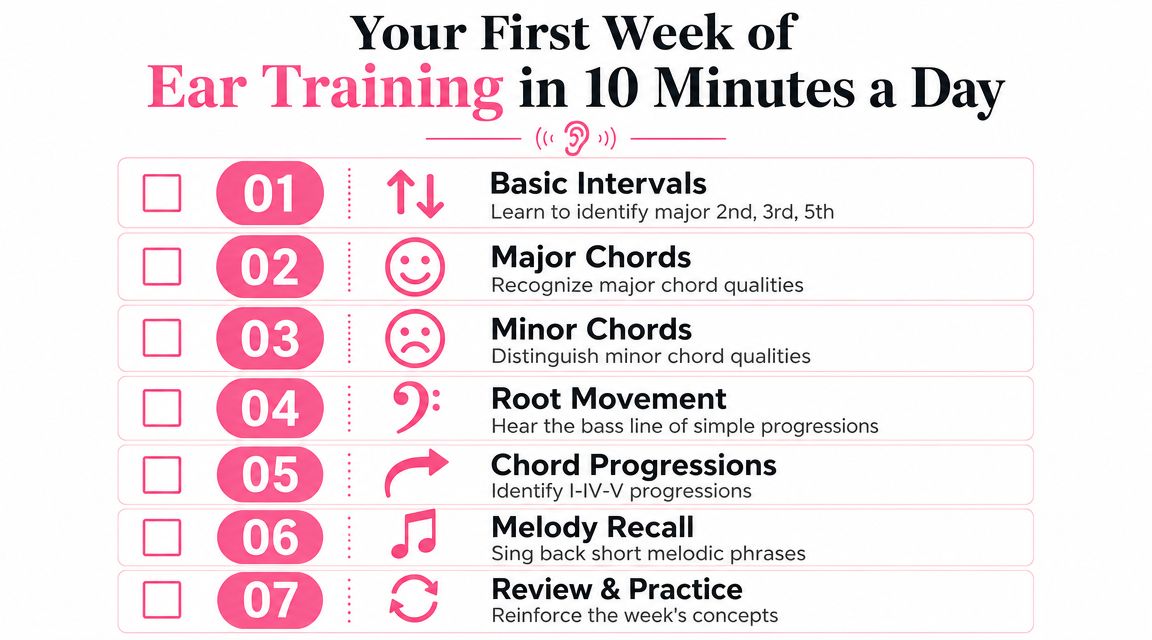
Don’t do that. Keep the routine short. Keep the target clear. If you can give focused attention for 10 minutes a day, that’s enough to start building real listening skill.
Day 1 to Day 3
-
Day 1. Hear major and minor moods
Play a major chord, then a minor chord, on your instrument or keyboard app. Alternate them slowly. Say out loud which one sounds brighter and which sounds darker. Don’t worry about speed. -
Day 2. Find the root note
Play a simple chord, then sing what you think the bottom home note is. Check it on your instrument. This builds the habit of hearing where the harmony rests. -
Day 3. Compare two intervals
Practice hearing the difference between a major third and a perfect fifth. Play one, sing it back, then identify it. You’re training contrast, not memorizing words.
Try this: Sing before you check. If you always verify first, your ear stays passive.
Day 4 to Day 5
On day 4, listen to a very simple progression and focus only on bass movement. Ignore fancy theory. Ask one question: did the harmony feel like it moved away from home or back toward it?
Day 5 is a great day for a basic I-IV-V pattern in a familiar key. Strum the three chords. Shuffle their order. Try to identify which one feels most stable, which one feels like it opens outward, and which one wants to resolve.
Use short loops. Repeat them several times. Ear training works best when you hear the same sounds enough times to notice patterns.
Day 6 to Day 7
-
Day 6. Sing back short melodies
Play a tiny phrase of two to four notes and sing it back immediately. This strengthens the link between hearing and reproducing sound. -
Day 7. Review only
Don’t add new material. Revisit major vs minor, root finding, interval comparison, and one simple progression. Review days are where learning settles in.
A simple weekly structure
| Day | Focus | Main question |
|---|---|---|
| 1 | Major vs minor | Does this chord sound bright or dark? |
| 2 | Root hearing | Where does this chord feel grounded? |
| 3 | Interval contrast | Is this a third or a fifth? |
| 4 | Bass movement | Did the harmony move away or return? |
| 5 | Basic progression | Which chord feels like home? |
| 6 | Melody recall | Can I sing this back accurately? |
| 7 | Review | What can I now hear more clearly? |
How to make the routine stick
The most important part isn’t complexity. It’s repetition.
Pick one consistent time each day. Morning practice, lunch break, or the first ten minutes after dinner all work. Remove friction. Open the app or instrument, do the exercise, stop while you’re still focused.
One option for a structured daily routine is Trill: Ear Training Daily, which provides short ear training sessions, chord exercises, feedback, and progress tracking. If you prefer doing it without an app, the same principle still applies. Short, daily repetition beats occasional long sessions.
If you’re chasing perfect pitch, don’t let that distract you from the basics. Start by hearing relationships well. That’s what helps you recognize chords in actual songs.
How to Choose the Right App for Your Goals
When you’re choosing a chord recognition app, feature lists can distract you from the core question.
The question isn’t whether the app looks smart. It’s whether it helps you become more capable.
Ask what problem the app solves
Some apps are designed to identify harmony from live sound. Others are better for uploaded tracks. Some do both.
For example, some apps support real-time transcription from microphone input and also process local files in batch mode in a few seconds, which matters because live practice needs low delay while full-song analysis can use deeper processing (real-time and offline transcription on Google Play).
That means you should ask:
- Do I need live help or study help?
- Am I trying to transcribe songs, or train my ear?
- Will I use this every day?
If you mostly want to check songs quickly, live and file-based recognition may matter a lot.
If you want long-term growth, the bigger issue is whether the app turns listening into a habit.
Questions worth asking before you download
A good filter is this short checklist:
-
Does it train or just label
If the screen always answers first, your ear may stay in the background. -
Can I practice daily in small chunks
Consistency matters more than cramming. -
Does it connect sound to action
The best tools help you hear, sing, identify, and then play. -
Can I track improvement over time
Progress is easier to sustain when you can see what you’ve worked on.
This quick demo gives another angle on what to look for in a music learning tool:

Choose based on the musician you want to become
If your goal is convenience, choose convenience.
If your goal is independence, choose training.
That sounds obvious, but many musicians accidentally choose tools that solve today’s confusion while extending tomorrow’s dependence. A useful app should fit your real destination. If you want to play by ear, improvise, and trust your hearing, pick something that asks your brain to listen, decide, and correct itself often.
Stop Guessing and Start Hearing Your Music
A chord recognition app can be useful. It can save time, give you a starting point, and help you check your work.
But it can’t replace the feeling of hearing a progression and knowing where your hands should go. It can’t replace the confidence of joining in without waiting for a screen. And it can’t give you the long-term freedom that comes from trained listening.
That freedom comes from ear training.
If you practice consistently, even for 10 minutes a day, you start noticing more. Major and minor stop sounding vague. Root movement becomes easier to track. Progressions feel familiar. You stop treating chords like random labels and start hearing them as musical behavior.
That’s the shift that matters.
You don’t need to be born with special talent. You don’t need to chase a myth about perfect pitch before you start. You need repetition, attention, and a simple daily system that helps you listen actively.
Use AI when it helps. Don’t hand it the whole job.
Your goal isn’t to become faster at looking up answers. Your goal is to hear music clearly enough that you can trust yourself.
If you want a simple daily system for building that skill, Trill: Ear Training Daily offers short exercises for chords, intervals, notes, and scales so you can train your ear, build play-by-ear confidence, and make steady progress through consistent practice.