Guitar Fretboard Flashcards: Learn the Neck & Play by Ear
You know the feeling. You look at the guitar neck and it still feels random, even after months of playing. You can copy shapes, follow tabs, maybe even fake your way through a solo, but if someone asks for every C on the neck or tells you to find a melody by ear, everything slows down.
That problem usually isn’t talent. It’s recall.
A fretboard chart can show you where notes live, but it can’t make you find them fast enough to use them in real music. That’s where guitar fretboard flashcards become useful. Not as a trivia game, and not as another way to memorize dots for the sake of it, but as a bridge between seeing the neck and hearing what you’re playing.
If your real goal is ear training, better chord recognition, and the ability to play by ear without guessing, flashcards can help. Used well, they train instant note recall. Used badly, they turn into another dry study habit that never reaches your ears or your hands.
Table of Contents
- Why a Fretboard Chart Is Not Enough for Your Brain
- How to Create Your Perfect Fretboard Flashcard Deck
- Your 10-Minute Daily Fretboard Practice Plan
- Connect Dots on the Neck to Notes in Your Ear
- Advanced Drills for True Musical Freedom
- From Memorization to Musicality
Why a Fretboard Chart Is Not Enough for Your Brain
Most players start with a chart. That makes sense. A chart is tidy, complete, and easy to save on your phone.
It’s also passive.
When you stare at a full fretboard diagram, you’re not training the skill you actually need in music. You’re training recognition. Real playing asks for something harder. It asks for recall under pressure. You hear a note, want a chord tone, need to shift keys, or try to copy a melody, and your brain has to answer immediately.
Charts show information, flashcards build access
A standard guitar has 144 unique note positions across 12 frets in the verified dataset tied to fretboard memorization tools. That’s one reason charts feel overwhelming. Your eyes can scan them, but your hands and ears still don’t own them.
Digital flashcards solve a different problem. They hide the answer, force retrieval, and let you repeat what you miss. According to Brainscape’s guitar fretboard notes deck, digital flashcards boosted retention rates by 40% in spaced repetition studies, and that deck had logged over 1.9 million study sessions by 2026. That kind of adoption makes sense. Players don’t need more diagrams. They need a way to make note recall automatic.
Practical rule: If a tool lets you look smart while using it, but you still freeze when the guitar is in your hands, the tool isn’t training the right skill.
The missing link is speed
Knowing that the 8th fret on the low E is C isn’t the same as being able to find C instantly while listening to a bass note in a song. That instant response matters more than perfect theory language.
For play by ear work, flashcards become useful. They teach your brain to answer quickly enough that hearing and locating start to connect. If you’ve ever worked on ear training and learning to play by ear, you already know that musical freedom comes from fast recognition, not slow decoding.
A chart gives you the map. A flashcard asks, “Can you still find the road with your eyes closed?”
What charts still do well
Charts aren’t useless. They’re good for checking patterns, seeing octave layouts, and reviewing after a practice session.
Use them as a reference, not as the workout itself.
A simple contrast helps:
| Tool | Best use | Weak spot |
|---|---|---|
| Fretboard chart | Review and orientation | Too easy to rely on looking |
| Flashcards | Active recall and memory | Can become visual-only if you never connect sound |
| Guitar in hand | Real application | Harder to structure without prompts |
If the neck still feels blurry, don’t assume you need more information. You probably need better retrieval practice.
How to Create Your Perfect Fretboard Flashcard Deck
A good deck should feel almost boring at first. That’s a good sign. Most players make the deck too big, too fancy, or too theoretical, then quit because every session feels like a test they can’t pass.
Start with fewer cards than your ego wants.
Start smaller than you think
The strongest beginner deck focuses on natural notes only first. Not all strings, not all frets, not scales, arpeggios, and modes on day one.
A practical starting sequence:
- Phase one. Put only natural notes on the low E and A strings in your deck.
- Phase two. Add the D and G strings once the first two strings feel quick.
- Phase three. Add the B and high E strings.
- Phase four. Introduce sharps and flats after the natural notes stop feeling slow.
This works because the low E and A strings carry a lot of real musical traffic. Roots, power chords, barre chord references, and quick key-finding all live there.
Don’t build a deck to impress yourself. Build one you’ll actually finish.
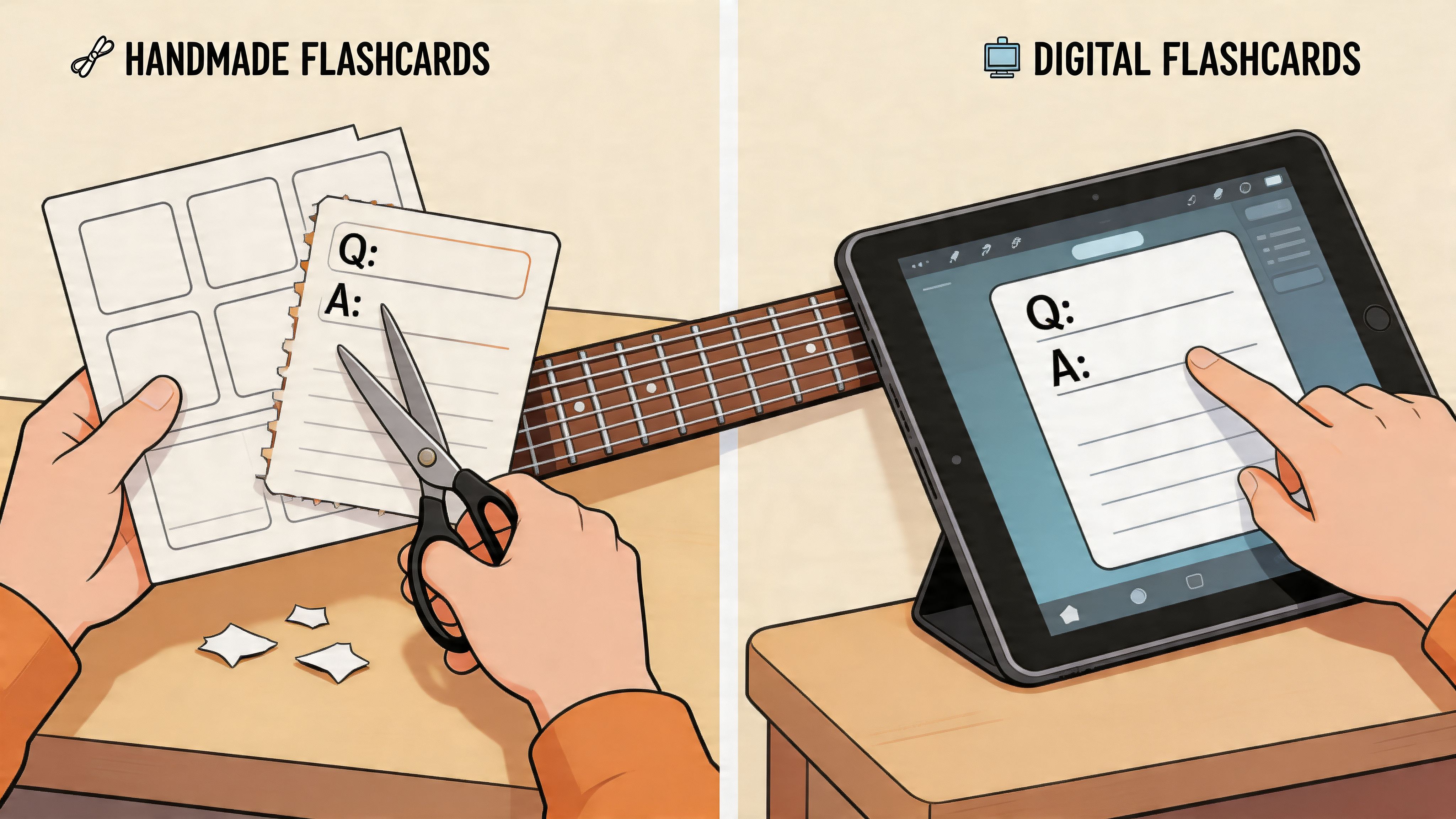
Physical deck or digital deck
A paper deck is simple. Write the front as a prompt and the back as the answer. Shuffle it. Put it on your music stand. No notifications, no settings, no app friction.
A digital deck gives you easy randomization and review. Tools like Anki can help if you like structure. But there’s a trade-off. Many current guitar flashcard tools focus 100% on visual-only note identification, which leaves a gap for players who want to connect note names to sound and play by ear, as noted in this Brainscape fretboard deck description.
That means the best digital setup is often the one you customize yourself instead of the one that looks the most polished.
Build cards that force recall
Weak cards give away the answer. Strong cards make your brain work.
Try these card types:
- Location to name. Front: string and fret diagram. Back: note name.
- Name to location. Front: “Find every A on strings 6 and 5.” Back: your answer check.
- Chord-tone cards. Front: “G major. Find root, 3rd, 5th on top three strings.” Back: note names and locations.
- Sound-first cards. Front: note name. Before flipping, sing it, then find it.
Mixing directions matters. If you only do diagram-to-name cards, you get good at labeling pictures. Music asks for more than that.
After you’ve built the first batch, use this video as a setup reference and then simplify even further for your own level:

A quick decision guide
| If you struggle with… | Better deck choice |
|---|---|
| Sticking to practice | Physical cards left by your guitar |
| Remembering missed notes | Digital deck with scheduled review |
| Playing by ear | Custom deck that includes singing before playing |
| Feeling overwhelmed | One-string deck with natural notes only |
The perfect deck isn’t the most complete one. It’s the one that creates clean, repeatable reps without confusing your ears or your hands.
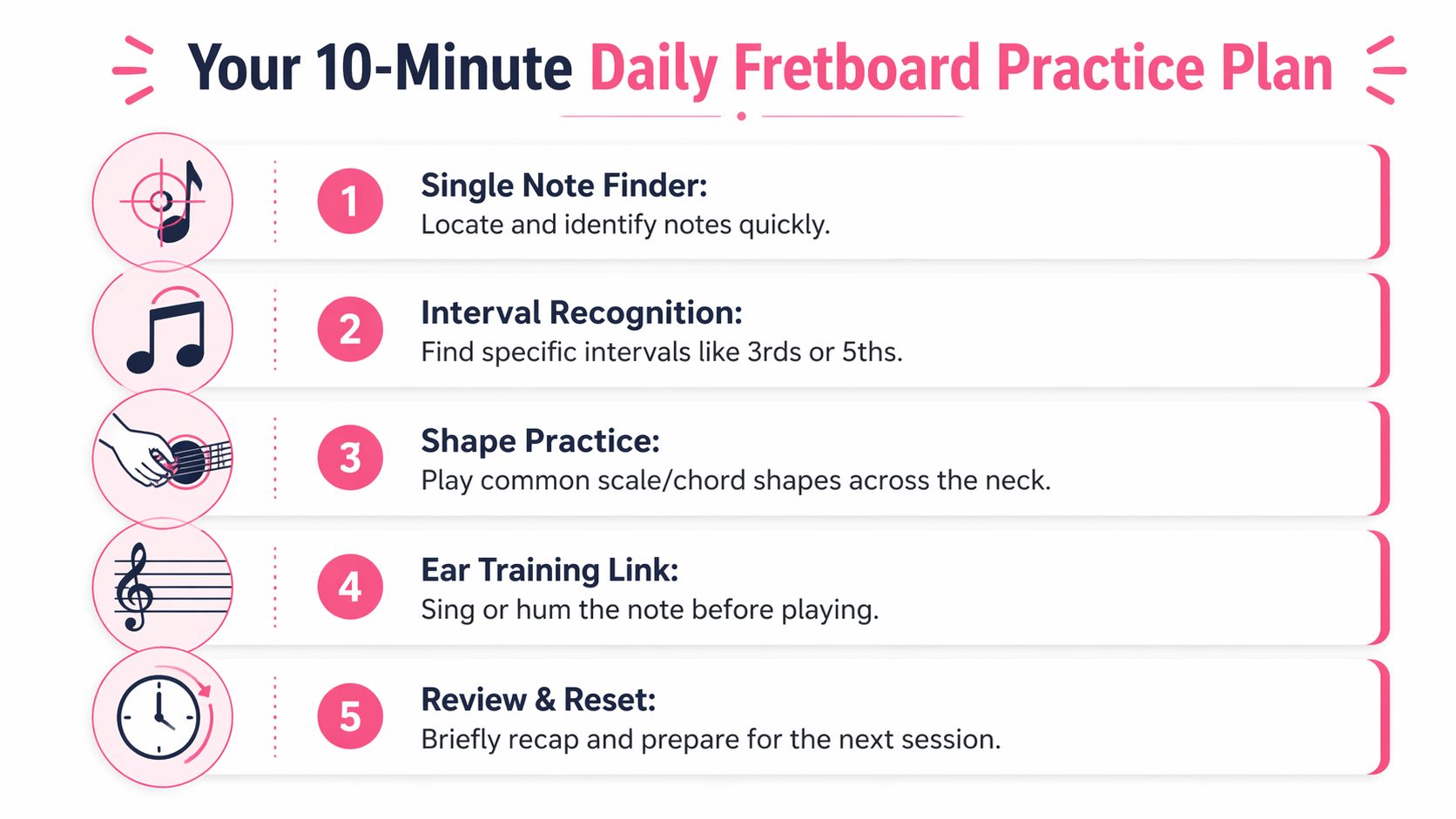
Your 10-Minute Daily Fretboard Practice Plan
Most fretboard work fails because players try to “catch up” on weekends. That almost never sticks. The neck gets clear when you touch it every day, even briefly.
A short routine works better because it removes drama. You don’t need motivation. You need a repeatable loop.
A simple daily split
A focused method called Single Note Finder claims a 100% success rate for memorizing natural notes across frets 1 to 12 when practiced for 5 minutes daily over 30 days, according to this YouTube lesson on the method. Whether you treat that as a strict promise or a strong benchmark, the useful takeaway is the same. Small daily sessions work.
Use this 10-minute plan:
-
Minute 1 to 3
Draw a few flashcards for new notes. Stay on one string if needed. Name the note before touching the guitar. -
Minute 4 to 6
Review older cards. Don’t keep adding new material if old cards still feel shaky. -
Minute 7 to 8
Run a single-note drill. Example: find every C on the neck area you currently study. -
Minute 9
Play those notes in time. A steady pulse matters because recall has to survive motion. If your timing drifts, practicing with a metronome will clean up the gap between knowing and performing. -
Minute 10
Close the session by saying out loud which notes felt slow. Those become tomorrow’s first review cards.
Short practice is enough if you stop letting missed notes slide.
What to do when you get stuck
Most players make one of three mistakes:
- They add sharps too early. Natural notes still feel fuzzy, but they pile on more content anyway.
- They restart constantly. Every missed note feels like failure, so they keep changing systems.
- They practice only when inspired. That turns memory work into a mood-based habit.
A better response is simpler.
If one note keeps failing, isolate it for a few days. If one string feels weak, narrow the whole session to that string. If your recall collapses in tempo, slow the pulse and keep answering cleanly.
Keep the bar low enough to repeat
This routine should feel almost too easy. That’s the point.
You’re building daily access to the neck, not proving how much theory you can survive in one sitting. The players who improve fastest usually aren’t doing heroic sessions. They’re doing ordinary sessions without skipping.
Connect Dots on the Neck to Notes in Your Ear
Memorizing note locations without hearing them creates a strange kind of progress. Your eyes get smarter, but your playing still depends on guessing.
That’s why flashcards only become musically valuable when you add sound.

Turn every card into an ear training rep
Take one card. Let’s say it shows A on the 5th fret of the low E string.
Don’t play it immediately.
Do this instead:
- Look at the card
- Locate the note on the guitar
- Sing or hum what you think that note will sound like
- Play it
- Compare what you heard in your head with the actual pitch
That single pause changes everything. It turns visual memory into ear training.
If your sung note misses, that’s not proof you lack “perfect pitch.” It just means your ear needs reps. Ear skills are trainable. The more often you predict sound before playing, the faster the neck starts to feel connected to actual music.
The neck starts making sense when every location has a sound attached to it, not just a label.
From single notes to real music
Once that basic loop feels natural, move to relationships.
Pull a note card and ask:
- What’s a major 3rd above it?
- Where’s the 5th nearby?
- Can you hear the difference before you play it?
- Can you sing the root, then the 3rd, then the 5th?
Here, the fretboard stops being a memory puzzle and becomes a listening tool.
Structured practice that turns the neck from a “maze to a map” can lead to full memorization in 30 to 90 days, and pairing that visual work with a metronome and a chord visualizer can accelerate the ability to play by ear by 2 to 3x, according to GuitarFreaks’ discussion of fretboard flash card practice.
A practical hearing sequence
Use this progression for one note at a time:
| Step | What you do | What it trains |
|---|---|---|
| 1 | Name the note on the card | Visual recall |
| 2 | Find it on the neck | Physical mapping |
| 3 | Sing it before playing | Pitch prediction |
| 4 | Add a nearby interval | Hearing relationships |
| 5 | Use it in a short phrase | Real music use |
For a deeper daily system built around audio, interval recognition, and chord hearing, Trill’s functional ear trainer app is built around the same core idea. Don’t just identify notes. Learn to hear them.
Advanced Drills for True Musical Freedom
Once single-note recall is steady, the next problem appears. You know notes in isolation, but your improvising still sounds boxed in. That usually means the practice is no longer targeted enough.
Current tools still leave a gap here. As noted by GuitarGames.net’s flashcard context, a major weakness in this category is the lack of adaptive, data-driven flashcards that target specific trouble spots like higher frets or more complex material. That’s exactly why intermediate players plateau. Their review stops matching their weaknesses.
Note of the day
Pick one note. G works well. Spend the whole session locating every G you can reach comfortably, then use those Gs in short phrases.
Don’t just point at them. Play them in different octaves. Sustain them against a backing chord if you want. Listen to how the “same” note changes color across strings and registers.
This drill helps because it removes pattern autopilot. You stop thinking in one box and start seeing the whole neck.
Useful constraint: One note across the neck is more musical than ten scales you can’t hear.
Scale mapping without autopilot
Choose one scale you already know, preferably C major or G major. Build flashcards that ask for notes inside that scale, not fingerings.
Good prompts look like this:
- Find all the F notes available in your current C major position
- Play C major on two strings only
- Ascend the scale, then say each note name backward on the way down
This is slower than running a shape. That’s why it works.
A lot of players can “play a scale” without knowing what note they’re on. Flashcards expose that gap immediately. If backward recitation or random access feels rough, that’s useful information. It tells you where your musical freedom still breaks.
Chord tone targeting
This is the drill that changes improvisation.
Use a chord card such as G major, D minor, or A7. Your job is to find the root, 3rd, and 5th near your current hand position before you play anything melodic. If you know the 7th for that chord, add it later.
Try this in a real progression:
- Strum or loop a simple chord.
- Draw the chord flashcard.
- Find only chord tones in one area of the neck.
- Improvise using those notes first.
- Add passing notes only after the chord tones feel clear.
Flashcards stop being a memory aid and start becoming a phrasing tool. Your solos sound more connected because you’re aiming for notes that match the harmony instead of wandering through shapes.
A smart rule for advanced practice is simple. Spend more time on the fret area, string set, or chord type that still makes you hesitate. Static review feels productive. Targeted review changes how you play.
From Memorization to Musicality
The point of guitar fretboard flashcards isn’t to win a note-naming contest. It’s to remove hesitation between hearing, finding, and playing.
That’s why the best flashcard practice is always connected to sound. Name the note. Find it. Sing it. Check it. Use it inside a scale, a chord, or a melody. That’s how fretboard work starts serving real music instead of staying stuck as homework.
If you stay consistent with 10 minutes a day, the neck gets less mysterious. Chord tones appear faster. Melodies become easier to track down. Improvisation gets less random. You stop relying so heavily on tabs because your ear and your hands start cooperating.
You don’t need instant mastery. You need daily contact with the right skill.
Keep the cards simple. Keep the sessions short. Keep bringing the sound into every rep. That’s how memorization turns into musical freedom, and how note knowledge starts helping you play by ear instead of just think about guitar.
If you want a daily system built around hearing music instead of guessing, Trill: Ear Training Daily gives you short, focused ear training sessions that help you recognize notes, intervals, chords, and scales through real audio. It’s designed for musicians who want practical results from 10 minutes a day. Better chord recognition, stronger pitch memory, and more confidence when you try to play by ear.