Music Teacher Resources 2026: Top Apps & Tools
Beyond the Notes: Resources to Build Real Musicianship
What if your students could hear a melody on the radio and figure it out on their own? What if they could step into a jam session and play along without waiting for sheet music, tabs, or a teacher to spell everything out? That kind of confidence doesn’t come from guessing. It comes from a trained ear.
Most music teacher resources help with planning, grading, repertoire, and classroom logistics. Those things matter. But they don’t automatically build musicians who can recognize chord movement, match pitch, improvise a line, or play by ear when the page disappears.
That gap shows up every day. A student reads well but freezes when asked to echo a phrase. Another can label intervals on paper but can’t hear them in a real song. A whole class may finish theory work and still struggle to find the tonic by listening.
Ear training fixes that, and it isn’t a gift reserved for a few students with “perfect pitch.” It’s a trainable skill. With short, focused daily work, students learn to hear patterns, connect sound to action, and respond musically in real time.
This guide stays practical. These music teacher resources were chosen for how they help students stop relying only on visual cues and start hearing music acutely. Some are built specifically for ear training. Others support practice, assessment, notation, or creation. The key question in every case is simple: does this help students become more independent, responsive, listening-based musicians?
Table of Contents
- 1. Trill Ear Training Daily
- 2. MakeMusic Cloud
- 3. MusicFirst Classroom
- 4. Noteflight Learn
- 5. Flat for Education
- 6. Sight Reading Factory
- 7. QuaverMusic
- 8. Practice Space
- 9. Breezin’ Thru
- 10. BandLab for Education
- Top 10 Music Teacher Resources Comparison
- Make Ear Training a Daily Habit in Your Classroom
1. Trill Ear Training Daily
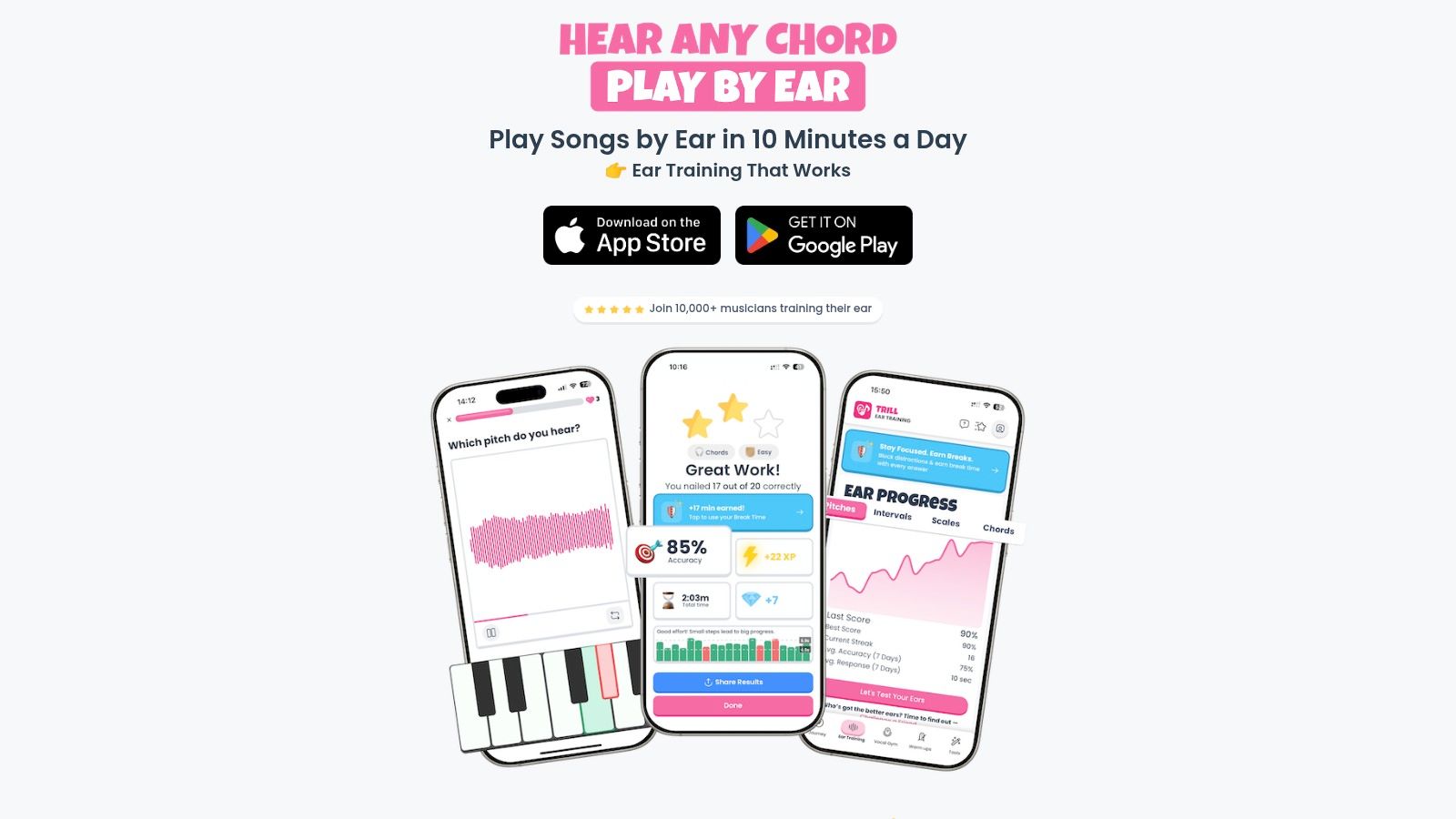
A familiar lesson moment: a student reads the notes correctly, keeps a steady pulse, and still cannot tell you whether the line is moving to tonic, outlining a chord, or landing on tension. That gap is why Trill: Ear Training Daily earns the top spot here. It targets the skill underneath fluent musicianship. Hearing what is happening well enough to sing it back, find it on the keyboard, and use it in improvisation.
What I like most is its audio-first design. Many ear training tools drift toward worksheet logic, where students sort labels and memorize interval names without building a reliable inner sound. Trill keeps the work grounded in listening, matching, identifying, and responding. That makes it much easier to connect app time to real outcomes in lessons.
The short-session format also matches how aural skills develop. Students make better progress with brief, frequent listening work than with one long weekly burst, especially when practice time is limited.
Why it works in real teaching
Consistency matters more than volume here. Trill is built for daily repetition, quick feedback, and clear progression. Those are the conditions that help students start recognizing patterns by ear instead of guessing.
I use tools like this most often with students who say, “I can do theory, but I can’t hear it.” Usually, that is accurate. They may know the term for a major sixth or a dominant chord, but they have not heard that sound enough times to sing it, identify it in context, or use it while playing.
Practical rule: If a student can name an interval on paper but cannot sing it back or find it quickly on their instrument, they do not know the sound yet.
A few strengths stand out right away:
- Sound leads the process: Students respond to what they hear, not just what they see on the staff.
- Short daily sessions: The design supports repetition without eating lesson time or home practice.
- Built-in practice tools: Tuner, metronome, and visual supports keep the listening work in one place.
- Focus Lock: This helps students who lose momentum the moment a phone notification appears.
Best fit and trade-offs
Trill works best for teachers who want a focused ear training routine rather than a huge platform full of unrelated features. It fits beginners, singers, pianists, guitarists, and students doing aural exam prep, but its real strength is helping students connect sound to action.
That matters in the classroom. A good ear training app should free up lesson time for musical work that cannot be automated. Singing bass lines, finding chord roots, echoing short phrases, transcribing melodies, and improvising over a drone. For teachers building that kind of routine, these ear training exercises for daily practice pair well with the app.
There are trade-offs. Pricing details are not clearly laid out in the material provided, so you may need to confirm plan options directly. And for advanced students, app-based drills still need to sit alongside transcription, harmonic listening, repertoire study, and playing without notation. Used that way, Trill is a strong starting point for the most important category in this list: Ear Training and Aural Skills.
2. MakeMusic Cloud
MakeMusic Cloud is one of the strongest choices when you need structured practice, assessment, and assign-and-grade workflows in band, choir, orchestra, or applied settings. It’s broad, mature, and built for programs that need accountability.
Its biggest strength is scale. You can assign material, track performance, and keep students moving without building every workflow from scratch. For directors managing many students at once, that matters.
Where it helps ear-based teaching
This isn’t an ear training app first. It’s a practice and assessment platform. Still, it can support aural growth if you use it carefully.
The mistake is letting students chase green notes without listening. The better use is to pair assigned excerpts with singing, audiation, drone work, and chord awareness. Have students sing phrase endings before they play them. Ask them to identify where tension resolves. Make them hear the line before they perform it.
Students don’t become independent musicians by reacting to red and green screens alone. They improve when feedback pushes them back into active listening.
There’s also a strong administrative case for platforms like this. A widely cited music education summary reported that schools with music programs had a 90.2% graduation rate and 93.9% attendance rate, compared with 72.9% graduation and 84.9% attendance in schools without music education. The same resource recommends using concrete program data like enrollment, class sizes, contact hours, and instrument maintenance records when making staffing and scheduling decisions, as detailed in MakeMusic’s school music data guide.
Trade-offs
- Best for: Large ensembles, guided home practice, assessment workflows, repertoire-heavy programs
- Less ideal for: Pure ear training, improvisation-first teaching, by-ear harmonic work
- Watch for: Confusing pricing structure and add-ons for fuller catalog access
If your program needs structure first and ear training second, MakeMusic Cloud is a solid backbone. Just don’t let assessment replace listening.
3. MusicFirst Classroom
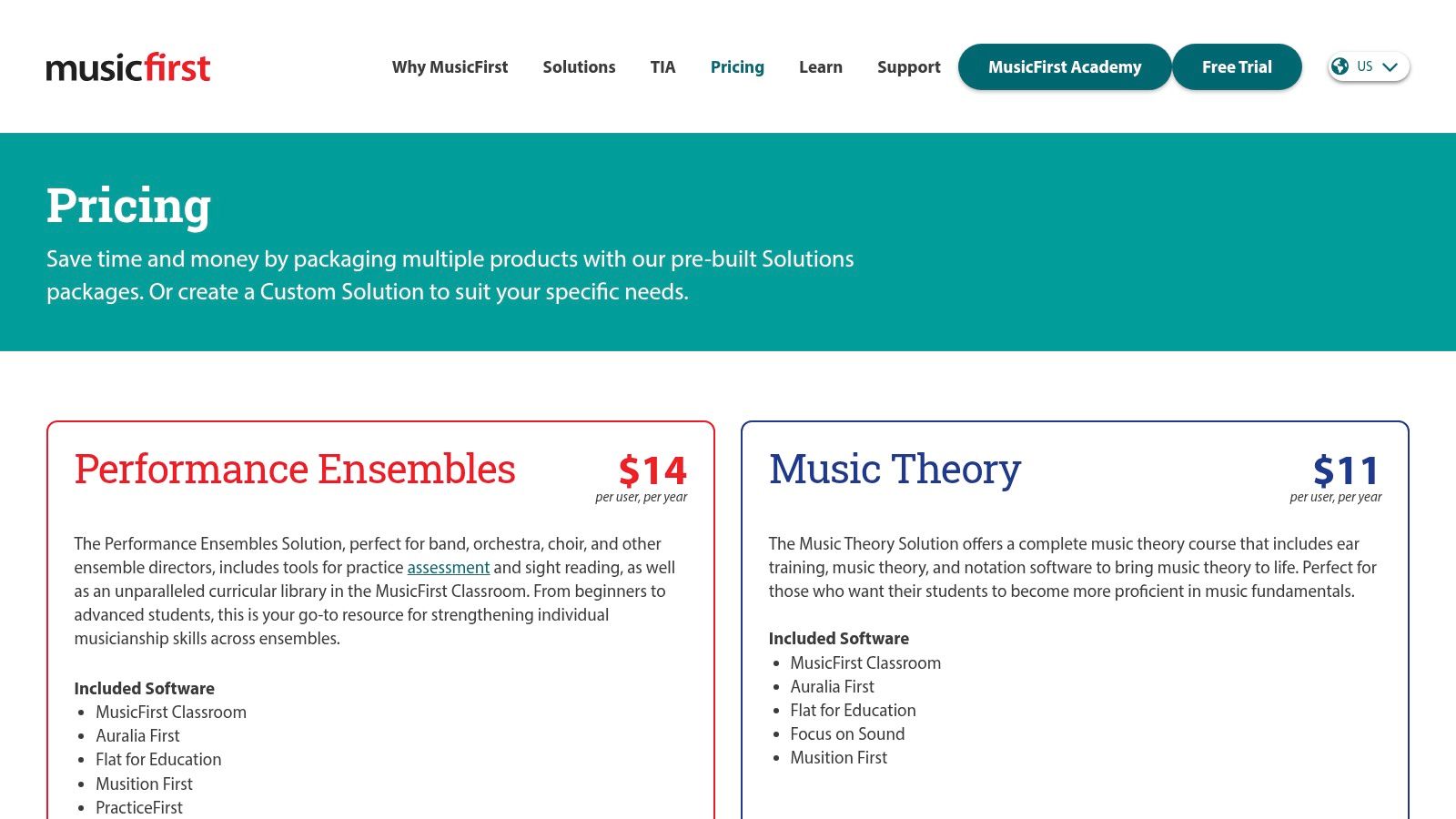
MusicFirst Classroom makes sense when a school or district wants one music platform instead of a patchwork of separate tools. It functions like a music-focused LMS and bundles several well-known products under one roof.
That matters more than many teachers expect. Fewer logins, one vendor, and simpler deployment can be the difference between a resource that gets used and one that sits untouched after the first training session.
Why districts like it
MusicFirst is less about one killer feature and more about ecosystem control. If you’re coordinating theory, creativity, ensembles, and elementary content across multiple teachers, the bundled structure is attractive.
For ear training, the biggest advantage is access to aural tools inside a wider classroom system. Students can move between notation, theory, sight-reading, and listening work without you rebuilding the classroom infrastructure each time.
A broader market signal supports this kind of platform thinking. The online music education market is projected to reach USD 4.61 billion in 2026 and grow at a 15.23% CAGR to USD 9.36 billion by 2031, with individual learners accounting for 59.40% of 2025 revenue and self-paced courses representing 49.05% of 2025 spending, according to Mordor Intelligence’s online music education market forecast. For teachers, that points to a clear reality: students are getting used to app-like, self-paced learning.
What works and what doesn’t
MusicFirst works best when you want district-scale organization and a consistent student experience. It doesn’t work as well if you prefer choosing every tool independently or only need one narrow solution.
- Strong fit: District adoption, bundled software access, single sign-on, broad curriculum support
- Weak fit: Teachers who want maximum flexibility outside preset bundles
- Important caution: Ear training still needs teacher direction. Bundled access doesn’t automatically produce musical listening.
If you already know your students need multiple tools and your admin wants one contract, this is one of the cleanest music teacher resources available.
4. Noteflight Learn
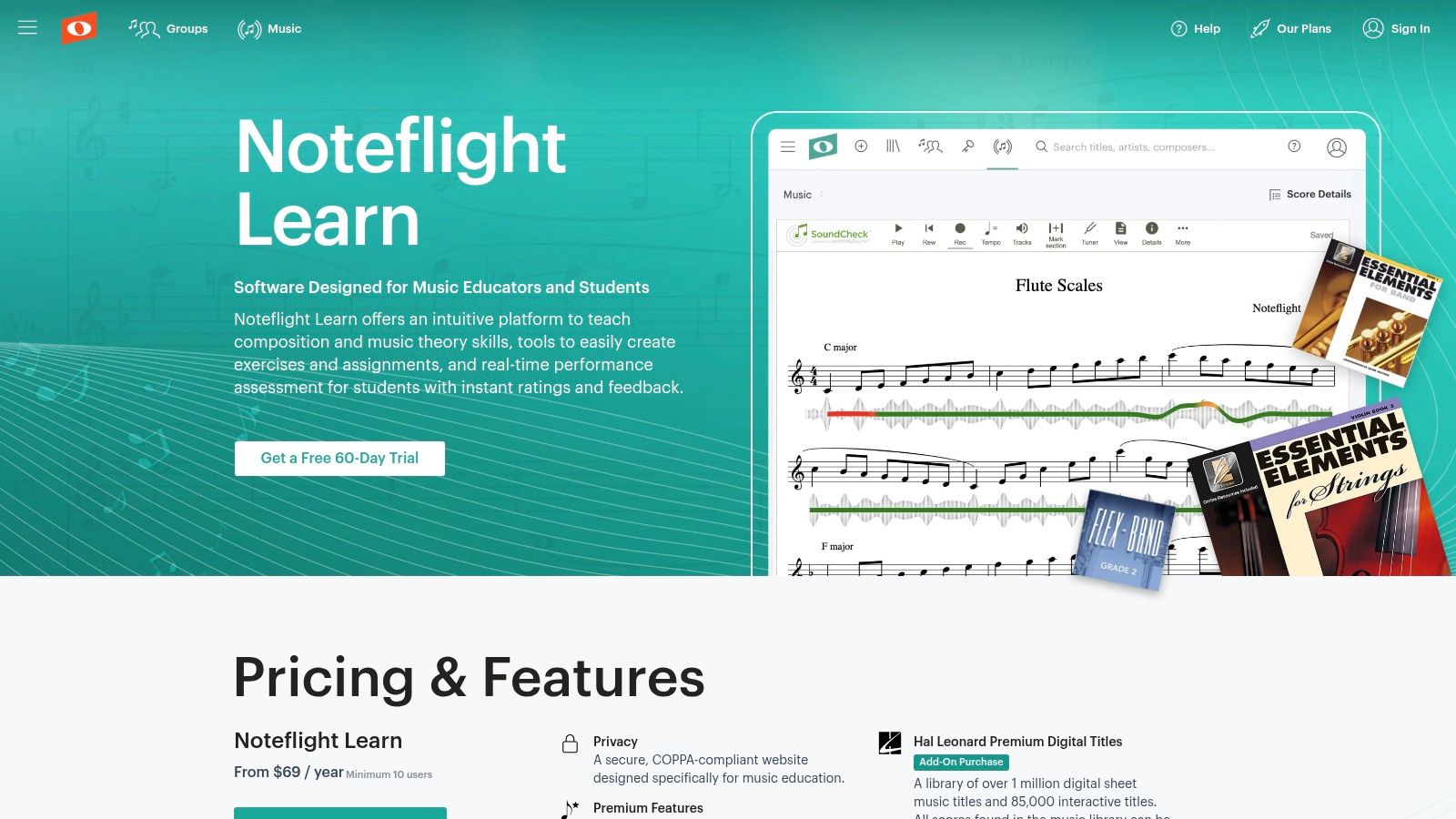
Noteflight Learn is one of the easiest ways to get students composing, arranging, and submitting work in a controlled classroom environment. If your students need a private school site, browser-based notation, and performance assessment add-ons, it does that well.
The editable score library is a major practical advantage. Students can start from real material, change it, hear it back, and test ideas fast. That lowers the barrier to creative work.
Best use for ear training
Notation platforms can help or hurt listening. Used poorly, they turn music into visual editing. Used well, they become a lab for hearing relationships.
A strong routine is simple. Have students notate a short melody after hearing it. Then change one pitch and listen for how the phrase function changes. Next, rewrite the ending to sound more open or more final. That kind of work connects notation to hearing, not just clicking.
If students compose without singing, they’re often guessing with the mouse. If they sing first and notate second, the ear starts leading the hand.
Noteflight Learn is particularly useful for teachers who want to move from “write four measures” to “hear, test, revise, perform.” SoundCheck can support accountability, but its primary value is the loop between hearing and editing.
Trade-offs
The quoted pricing structure and per-user add-ons can make budgeting less transparent. And while it supports aural teaching, it isn’t designed around play by ear as its main identity.
Still, for composition units, arranging projects, and classroom music writing that stays connected to sound, it’s one of the better music teacher resources in this category.
5. Flat for Education
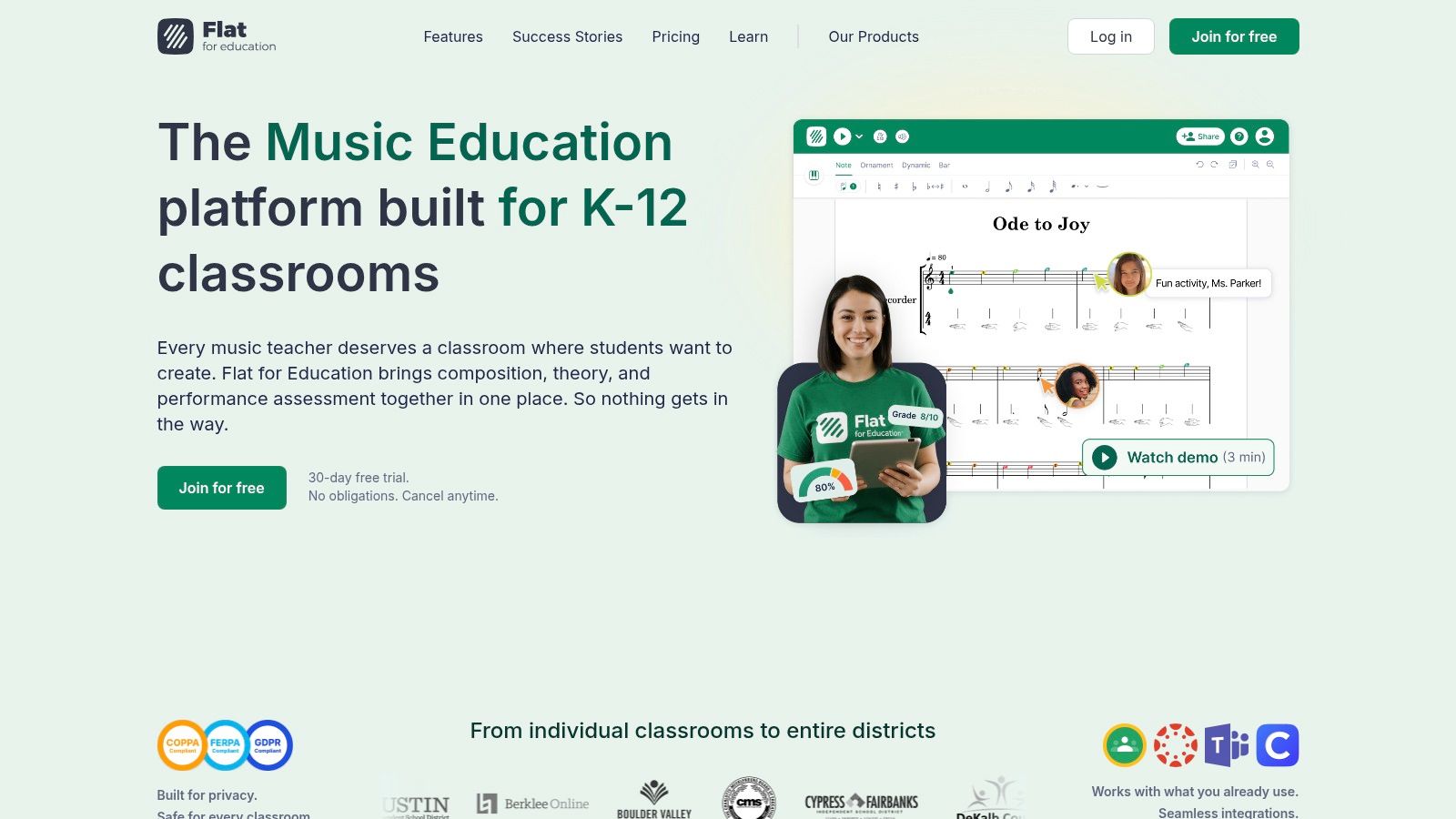
Flat for Education is a practical choice for schools that want browser-based notation, collaboration, and fast setup across mixed devices. It works especially well when you need students creating right away instead of waiting on installs or lab-specific machines.
That device flexibility matters. In many classrooms, the best tool isn’t the one with the deepest feature list. It’s the one every student can open and use.
Where it shines
Flat is strong for collaborative writing, theory worksheets, and composition-based assessment. It also fits classrooms where accessibility and flexible device use are real concerns.
For ear training, I like it best after sound comes first. Sing a two-bar idea, have students find it, notate it, and then create a response phrase. Or play a tonic-dominant pattern and ask them to write a melody that clearly lands home. The tool becomes a place to capture what they hear, not replace hearing.
A separate market estimate supports the larger digital context. The global online music education market was estimated at USD 2.8 billion in 2024 and projected to reach USD 9.1 billion by 2033, with North America at about USD 1.1 billion and Europe at USD 650 million in 2024, based on Growth Market Reports’ online music education analysis. The practical implication is clear enough: teachers in digitally mature markets are increasingly expected to blend classroom teaching with self-study tools.
Practical cautions
- Good for: Quick deployment, composition, collaborative notation, LMS-connected assignments
- Not as strong for: Deep ear training on its own
- Potential friction: Larger teams may need upgraded plans and district-level coordination
Flat works well when your teaching starts with sound and uses notation to clarify what students already hear.
6. Sight Reading Factory
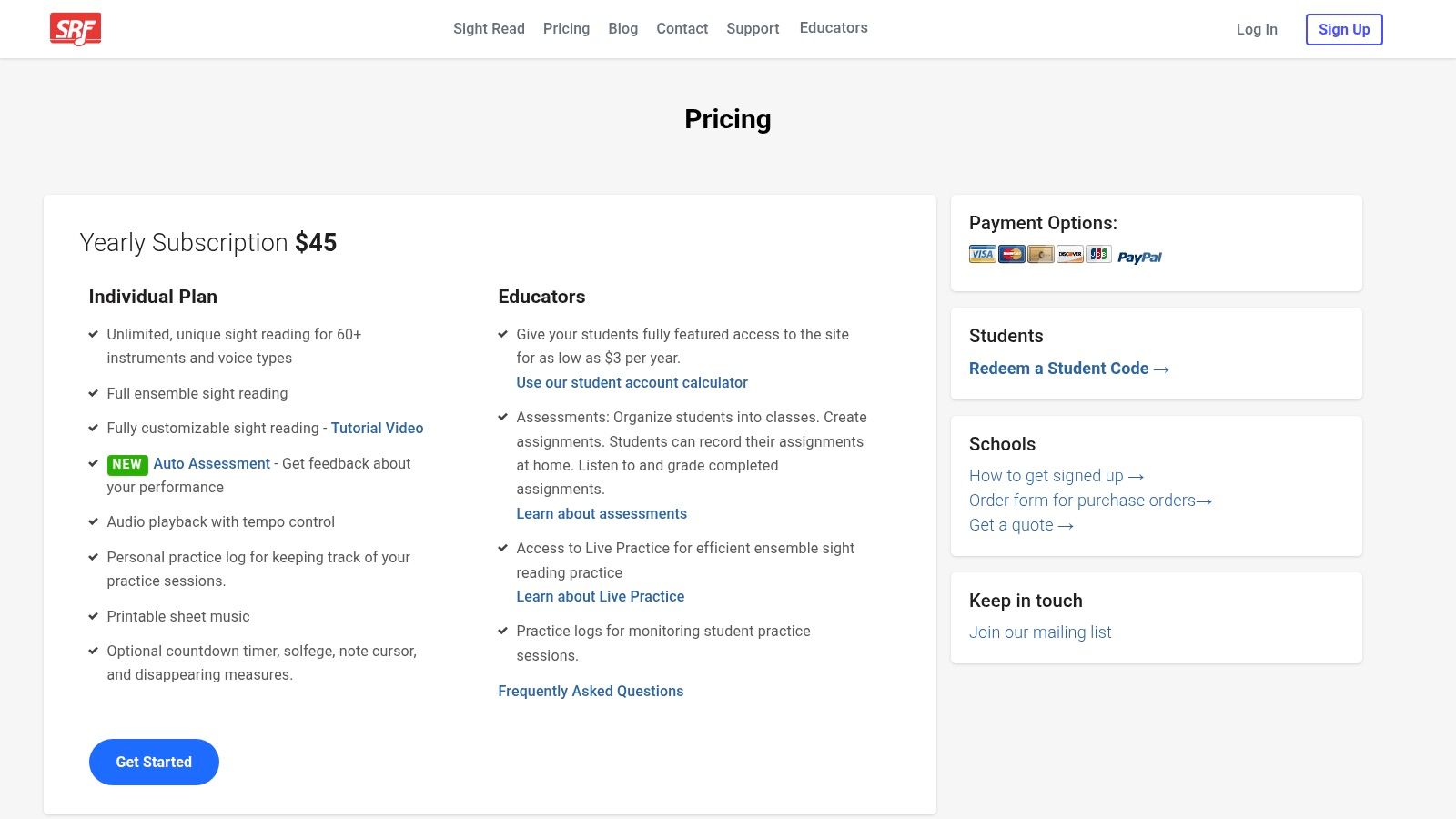
Sight Reading Factory is exactly what its name suggests. It generates endless sight-reading material with adjustable difficulty, ensemble parts, assignments, and teacher tracking. If you need daily bell-ringers or differentiated reading practice, it’s a huge time-saver.
The danger is obvious. Students can become better decoders without becoming better listeners.
How to keep it musical
Sight-reading shouldn’t be anti-ear. It should sharpen internal hearing. Before students clap or play, ask them to scan for repeated patterns, likely resting points, leaps that need prep, and places where the rhythm will pull forward or settle back.
Then add one aural layer. Have them sing the tonic, audiation-count the first bar, or echo one short fragment by ear before reading the full line. That one adjustment keeps the exercise from turning into pure visual reaction.
For teachers who want that connection stronger, these sight singing exercises that reinforce hearing before performance pair well with the platform.
Reading improves faster when students silently hear the line before the first attempt.
Best use and limits
Sight Reading Factory is excellent for generating material on demand. It is not a full curriculum, and it won’t build improvisation or chord recognition by itself.
Its strongest use is disciplined daily reading that stays tied to audiation. Use it to support ear training, not substitute for it. If you do that, it becomes one of the most efficient music teacher resources for ensemble warm-ups and audition prep.
7. QuaverMusic
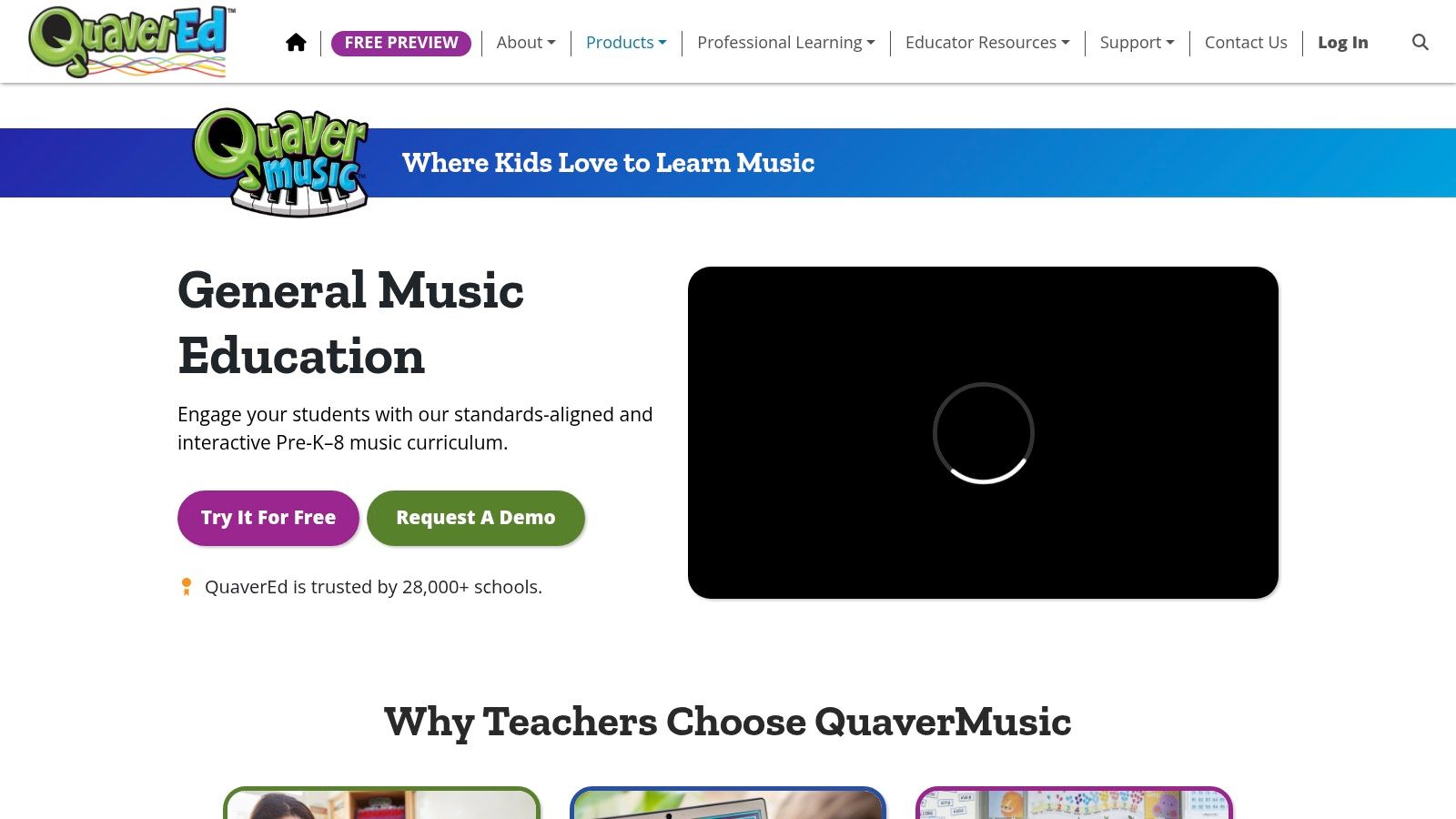
QuaverMusic is built for elementary general music teachers who need ready-to-use lessons, interactive activities, and a full digital curriculum. If planning load is crushing you, Quaver can give you breathing room fast.
That matters because many teachers don’t need another clever worksheet. They need a workable system they can teach from tomorrow morning.
Where it helps younger students
Quaver’s biggest win is engagement. For younger learners, that’s not a small thing. Students need repetition, movement, singing, and clear structure if they’re going to internalize sound before notation becomes dominant.
I wouldn’t use any elementary platform passively. The best approach is to treat the screen as a prompt, then move quickly into call-and-response, singing games, tonic-finding, beat transfer, and phrase echoing. That’s where ear training starts becoming real.
There is also a bigger equity issue in this part of the field. Work around sustainable access for under-resourced schools and communities remains an underserved need. The University of Texas Center for Music Learning explicitly frames part of its work around teaching underserved communities, and that highlights a problem many generic resource lists miss: content alone doesn’t solve what teachers do when students lack instruments, reliable internet, or stable home support, as discussed in the UT Center for Music Learning’s teaching underserved communities work.
Trade-offs
Quaver offers extensive content, but it’s also a curriculum system. That means less improvisational freedom than a lighter tool. Pricing also tends to be quote-based rather than self-serve.
For elementary teachers who need strong structure and lots of student-facing material, it’s a practical option. Just make sure the singing, listening, and by-ear response happen off-screen too.
8. Practice Space
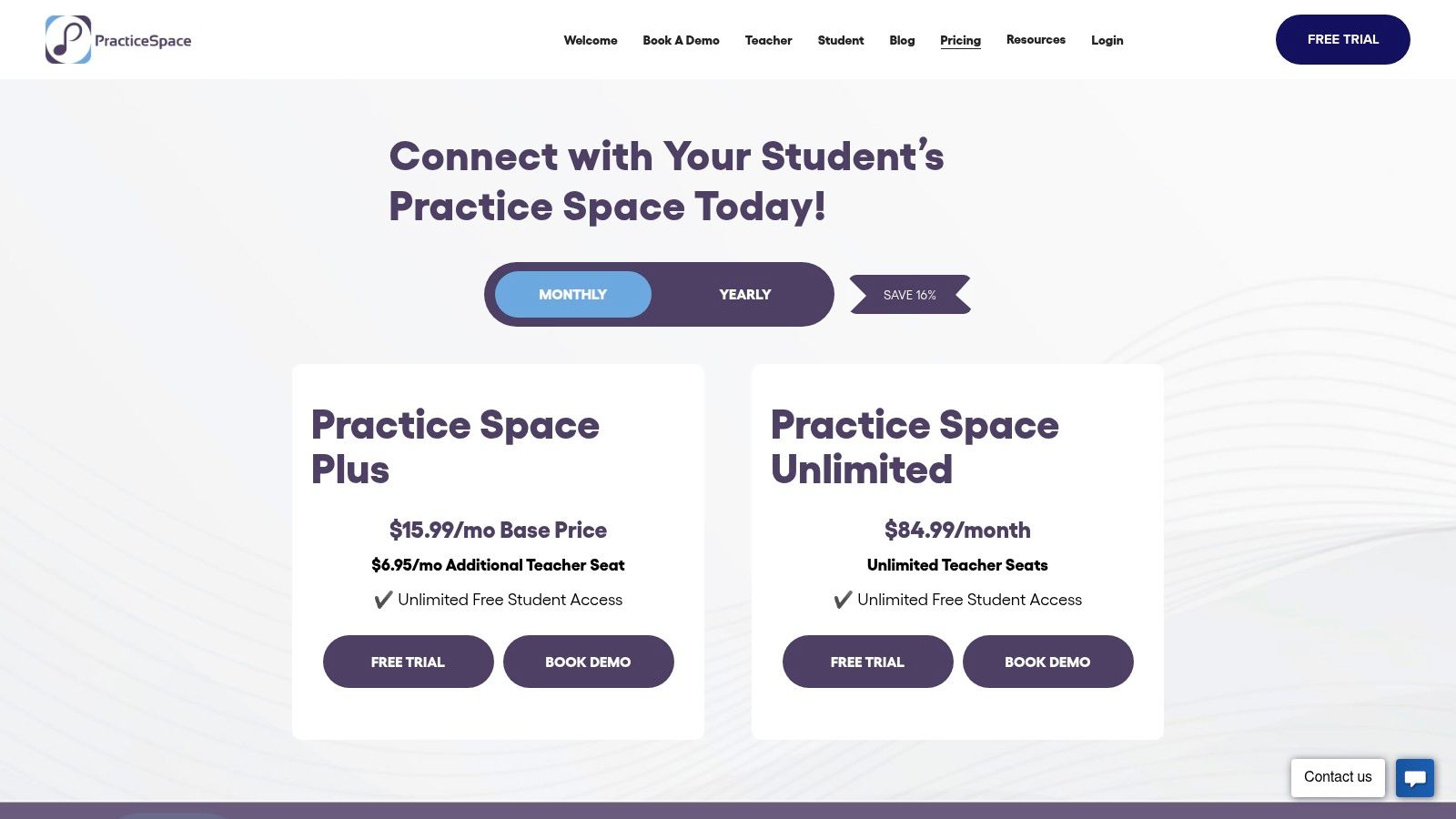
Practice Space isn’t a curriculum platform. It’s a practice management tool. That distinction is important, and it’s why many teachers will find it useful.
If your students know what to practice but don’t do it consistently, management and accountability may be the missing piece. Practice Space helps assign tasks, share media, track practice, and keep communication clear.
Good habits beat heroic assignments
This kind of platform works best when assignments are specific and short. “Practice your piece” is too vague. “Sing the bass note of each chord change, then play the melody by ear for two phrases” is better. “Match these three pitches before touching the page” is better.
For ear training, give tasks that require listening before playing. Ask for audio submissions. Have families hear a call-and-response pattern. Build 10-minute routines students can repeat.
- Strong assignment example: “Listen, sing, then find the first five notes without looking at music.”
- Weak assignment example: “Work on song number three.”
- Best classroom use: Habit building between lessons, especially in private studios and pull-out programs
Practice Space doesn’t teach ear training for you. It gives your teaching a follow-through system. If your biggest issue is consistency, that’s valuable.
9. Breezin’ Thru
Breezin’ Thru is a structured browser-based theory and composition platform that works well in middle and high school settings. If you need sequence, drills, progress tracking, and teacher dashboards, it does that cleanly.
This is the kind of resource that can bring order to a theory strand quickly. Students know what to do, teachers can monitor completion, and schools can scale it.
How to keep theory connected to sound
Theory becomes useful when students can hear it. If they can’t hear a chord quality, a cadence type, or a melodic pull, the worksheet only gets them halfway there.
So use Breezin’ Thru as the written side of the lesson, not the whole lesson. After a chord unit, have students sing roots and identify quality by ear. After cadence work, ask them to listen for open versus closed endings. When they write progressions, make them play and sing them too.
That gap between generic resource lists and outcome-based support is real. Research on near-peer mentorship in an underserved private music setting suggests that peer-led formats may be effective for instruction, and it points toward a larger need for more inclusive, evidence-based teacher support rather than endless generic worksheets, as discussed in this study on near-peer mentorship in underserved music instruction.
For harmonic support, this quick guide to hearing and understanding music theory chords is a useful companion to written work.
Best fit
Breezin’ Thru is best for structured theory and composing. It isn’t trying to be a full performance platform or an ear training app. Used alongside singing, dictation, and by-ear chord work, it becomes much more effective.
10. BandLab for Education
BandLab for Education is one of the best free options for modern band, music technology, songwriting, podcasting, and classroom creation on mixed devices. It runs in the browser, works well on Chromebooks, and gets students making music fast.
For many programs, that’s a huge advantage. Students who don’t connect immediately with notation often come alive when they can build, record, layer, and revise sound directly.
Best use for playing by ear
BandLab can support ear training surprisingly well if you design the task around listening instead of loop collecting. Ask students to recreate a bass line by ear. Have them record a melody, then find a chord progression that supports it. Let them improvise over a drone or groove and revise the take after listening back.
“Perfect pitch” myths often get in the way. Students assume they either have the ear or they don’t. Production-based tasks can break that mindset because students hear themselves trying, adjusting, and improving in real time. That’s good teaching territory.
Record-first tasks often reveal what students actually hear better than paper tests do.
What to watch
BandLab for Education is excellent for creativity and access. It is less focused on formal assessment or sequenced ear training. And teachers need to keep students on the education side so they don’t drift into consumer-tier distractions or paywalled features.
If your goal is to build musicians who can create, listen back, adjust, and play by ear in modern formats, BandLab earns its place on the list.
Top 10 Music Teacher Resources Comparison
| Product | Core features | UX / Quality ★ | Value & Pricing 💰 | Target audience 👥 | Unique selling points ✨ |
|---|---|---|---|---|---|
| Trill: Ear Training Daily 🏆 | Real-audio ear exercises; tuner, metronome, chord/interval/scale visualizers; 10‑min daily sessions | ★★★★☆, instant feedback, streaks, habit-focused | 💰 Subscription (pricing not listed; preview available) | 👥 Beginners → advanced instrumentalists, vocalists, producers, educators | ✨ Focus Lock; audio‑first, Duolingo‑style progress |
| MakeMusic Cloud (SmartMusic) | Practice & assessment, large repertoire, notation, Sight Reading Studio, gradebook | ★★★★☆, robust analytics & assessment | 💰 Tiered school/classroom licensing; print add‑on | 👥 Band/choir/orchestra teachers & classroom programs | ✨ Red/green auto‑assessment; festival‑ready catalog |
| MusicFirst Classroom | K–12 music LMS bundles; curriculum, SSO, third‑party tool integrations | ★★★★, district‑scale, single sign‑on | 💰 District pricing, annual contracts | 👥 K–12 districts, program admins, large schools | ✨ Pre‑built solution bundles; K–5 curriculum |
| Noteflight Learn | Notation & composition, SoundCheck auto‑assessment, editable score library | ★★★★, COPPA‑compliant, simple classroom workflows | 💰 Seat pricing by quote; add‑ons per user | 👥 Schools focused on composing & assessment | ✨ Private school site + Premium editable scores |
| Flat for Education | Collaborative notation, auto‑graded theory worksheets, sight‑reading generator | ★★★★, device‑agnostic, fast deployment | 💰 Subscription; enterprise features via sales | 👥 K–12 teachers, composition units, mixed devices | ✨ Real‑time collaboration; runs on any device |
| Sight Reading Factory | Infinite sight‑reading generator for 60+ instruments; auto‑assess & logs | ★★★★, instant practice, differentiated drills | 💰 Affordable student subscriptions | 👥 Ensembles, choir/band teachers, daily practice | ✨ Customizable, instrument‑specific sight‑reading |
| QuaverMusic (QuaverEd) | PreK–8 lessons, interactive activities, assessments, teacher toolkit | ★★★★, high student engagement, standards‑aligned | 💰 School/district quotes, license‑based | 👥 Elementary general music teachers & districts | ✨ Ready‑to‑use standards‑aligned curriculum |
| Practice Space | Assignments, media library, practice time tracking, streaks & reports | ★★★☆, simple, motivational for students | 💰 Teacher‑paid; students free | 👥 Private teachers, lesson programs | ✨ Practice accountability + teacher control |
| Breezin’ Thru (Theory & Composing) | Auto‑graded drills, teacher dashboards, lab & per‑student licensing | ★★★☆, clear scope & quick adoption | 💰 Per‑student or lab pricing; flexible bundles | 👥 Middle & high school theory/composing classes | ✨ Bundled Theory + Composing with lab options |
| BandLab for Education | Cloud multitrack DAW, collaboration, teacher dashboards, class codes | ★★★★, web DAW, collaborative, Chromebook‑friendly | 💰 Free for edu platform; consumer features may be paid | 👥 Modern band, music tech, creator classrooms | ✨ Free cloud DAW on a safe edu domain |
Make Ear Training a Daily Habit in Your Classroom
The best music teacher resources don’t just make your classroom more efficient. They change what your students can do with music. That’s the standard that matters.
A platform can save planning time. It can organize assignments, generate sight-reading, collect recordings, or help students notate ideas. Those are all useful. But if students still can’t match pitch confidently, hear a chord change, sing a resting tone, improvise a phrase, or play by ear without waiting for notation, the deepest layer of musicianship is still underdeveloped.
That’s why ear training deserves a daily place in your teaching, not an occasional add-on when there’s extra time. Listening is the skill underneath nearly everything else. It supports intonation, rhythm, ensemble awareness, memory, improvisation, transcription, and harmonic understanding. It also changes how students relate to music. They stop treating it like information to decode and start experiencing it as sound they can recognize, predict, and respond to.
In practical terms, this doesn’t require a complete curriculum overhaul. Start with 10 minutes a day. Sing back short patterns. Ask students to find the tonic before opening the score. Have them identify whether a phrase feels finished or unfinished. Let them hear a simple progression and locate the bass movement. Use class technology to reinforce those habits, not replace them.
This is also where a focused app like Trill can make a real difference. Students are far more likely to improve when ear training is short, structured, and repeated often. Daily exposure builds familiarity. Familiarity builds confidence. Confidence leads to better improvisation, stronger chord recognition, cleaner pitch matching, and much more freedom when the sheet music isn’t there.
Don’t wait for “talent” to appear. Ear training is trainable. Some students move faster than others, but all of them can improve when they work consistently and hear music with intention.
If you’re choosing among music teacher resources this year, pick at least one tool that strengthens the ear directly. Then use your other platforms to support that goal. Reading matters. Theory matters. Assessment matters. But students become more musical when hearing leads the process.
Start small. Keep it daily. Make students sing, listen, find, compare, and respond. That’s how they learn to stop guessing and start hearing.
If you want one tool on this list that keeps the focus exactly where it belongs, Trill: Ear Training Daily is the clearest choice. It helps students build ear training into a daily routine, strengthen pitch and chord recognition, and develop the practical listening skills that lead to improvisation, transcription, and real confidence when they play by ear.